

Process exception handling means detecting workflow deviations, assigning them to named owners, and recording how each case is resolved. The aim is to contain disruption and make unresolved work visible. Use the checklist and runbook below to design a scoped pilot around your workflow volume, risks, and response requirements.
TL;DR:
Proper exception classification and routing to named owners are essential to prevent backlog buildup and maintain automation trust.
Building a simple runbook with clear trigger conditions, escalation paths, and closure criteria enables efficient handling and review of exceptions.
Tracking five key metrics—volume, queue age, time to action, resolution time, and reopen rate—proves whether exception handling improves process health.
Starting with a single high-impact workflow and expanding gradually avoids overwhelming teams and ensures successful rollout.
Vendors should support confidence scoring, accessible evidence, integrated review interfaces, and role-based access to meet effective exception handling needs.
Table of Contents
Why Does Exception Handling Drive Automation ROI?
Most automation projects get sold on the happy path. Someone demos a workflow running clean from start to finish, and everyone signs off. Then it hits production and a substantial minority of cases don’t follow the script. That’s where the real money sits. Analysis of automation deployments shows most of the measurable return comes from exception handling, not the smooth flow, because the many small exception cases add up to a very large amount of manual effort.
Unmanaged exceptions don’t just cost time directly. They cost time indirectly, through context switching, duplicate handling when two people fix the same case without knowing it, and ad hoc workarounds that nobody documents. Each one chips away at the trust an operations team has in the automation itself.
Most exceptions fall into five recognizable buckets:
-
Business variant — a legitimate case type the workflow just wasn’t built to handle yet.
-
Data quality — missing fields, malformed input, mismatched records.
-
Policy — a rule requiring human judgment (discounts, approvals, exceptions to exceptions).
-
Model or IDP confidence — an extraction or classification score too low to trust.
-
Integration — a downstream system timeout, rejection, or schema mismatch.
Quick fact: exception-heavy workflows often hide most of an automation program’s realized savings inside the cases that don’t run clean, according to the same analysis.
What Is the Right Model for Handling Workflow Exceptions?
A workable model breaks into five stages, and skipping any one of them is usually where teams lose control. MakeAutomation’s framework lays out detection, classification, routing, retry/fallback logic, and resolution as five distinct decisions, each needing its own operating rule rather than a vague “someone will handle it.”
-
Detection. Define the signals that flag a deviation: a confidence score below threshold, a missing field, a downstream error code. Build in explicit abstain rules so the system flags uncertainty instead of guessing.
-
Classification. Tag each exception with a typed reason and a severity level. “Unclear” is not a category; “missing tax ID, medium severity” is.
-
Routing. Send classified exceptions to queues with named owners, not a shared inbox. Every dead-letter queue needs a review cadence, not just a destination.
-
Retry and fallback. Set policy for transient failures (network timeouts get automatic retries), compensation rules for partial completions, and safe defaults for anything that can’t wait on human review.
-
Resolution. Record the decision, restore the authoritative system state, and feed the pattern back into detection rules so the same exception type gets easier to catch next time.
Zephior’s guidance on exception design adds a detail worth stealing directly: package every exception work item with context — case ID, source evidence, typed reason, and the specific actions a reviewer is allowed to take. That removes the guesswork that turns a two-minute review into a twenty-minute investigation.
Pro Tip: Give reviewers a short list of valid actions for each exception type, with an escalation route when none fits. Test whether the choices reduce handling time without removing necessary judgment.
What Belongs in an Exception Handling Runbook?
A runbook is the difference between exception handling as a discipline and exception handling as whoever’s online right now. Business events without named ownership drift into email threads and personal spreadsheets, and that’s exactly how operational debt piles up without anyone noticing until a backlog review turns up hundreds of untouched cases.
Every workflow needs its own runbook entry with the same core fields:
| Field | What it captures |
|---|---|
| Workflow name | The specific process the exception belongs to |
| Trigger condition | The exact rule or threshold that flags the exception |
| Detection method | Automated check, confidence score, manual flag |
| Initial action | Auto-retry, hold for review, or immediate escalation |
| Owner | The named person or role responsible, not a team name |
| Escalation path | Who gets it next, and after how long |
| Closure criteria | What “resolved” means for this exception type |
Ownership decisions on SLAs and escalation triggers belong with whoever owns the process outcome, not with IT alone. That person also decides what qualifies for automatic retry versus what needs a human signature. Treat the dead-letter queue as a prioritized backlog you review weekly, not a graveyard. A DLQ nobody looks at becomes hidden debt fast, quietly accumulating cases that started as minor and became unresolvable.
Which Metrics Actually Prove Exception Handling Works?
You don’t need a dashboard with forty widgets. You need five numbers that tell you whether exceptions are getting contained or piling up.
-
Exception volume by type — which categories are growing, which are shrinking.
-
Queue age — how long the oldest unresolved case has been sitting.
-
Time to first action — the gap between detection and someone touching the case.
-
Time to resolution — total time from flag to closure.
-
Reopen rate — how often a “resolved” case comes back, which usually signals a closure rule that’s too loose.
Set alert thresholds around percentiles, not averages. A spike in the 90th-percentile queue age tells you something a shifting mean will hide. If exception volume for one type triples in a week, that’s a signal to open a backlog item, not just clear the queue and move on. Feeding those patterns into process fixes or model retraining is what turns a monitoring dashboard into an actual improvement loop instead of a wall of numbers nobody acts on.
How Do You Pilot Exception Handling on One Process?
Pick one workflow and prove the model before scaling it. Trying to fix exception handling everywhere at once usually means fixing it nowhere.
-
Choose one high-impact workflow. Map the happy path first so you know exactly what “normal” looks like.
-
List and group your top five exception types. Estimate the time each category costs per week. Ranking by total time impact beats ranking by how annoying a case feels.
-
Build a simple retry-plus-DLQ pattern. Write a one-page runbook using the fields above. Resist the urge to over-engineer this on the first pass.
-
Assign named owners. Configure routing so each exception type lands with a specific person, and set up one alert for queue age.
-
Run weekly reviews. Treat every unresolved case as a candidate backlog item, not a one-off fire to put out.
-
Measure outcomes and expand. Once the five metrics above stabilize, add the next workflow.
Choose the pilot duration based on exception frequency, business cycles, and the evidence needed to assess resolution quality. Expand only when the team can demonstrate manageable queues and reliable ownership.
What Should You Look for in Exception Handling Tools?
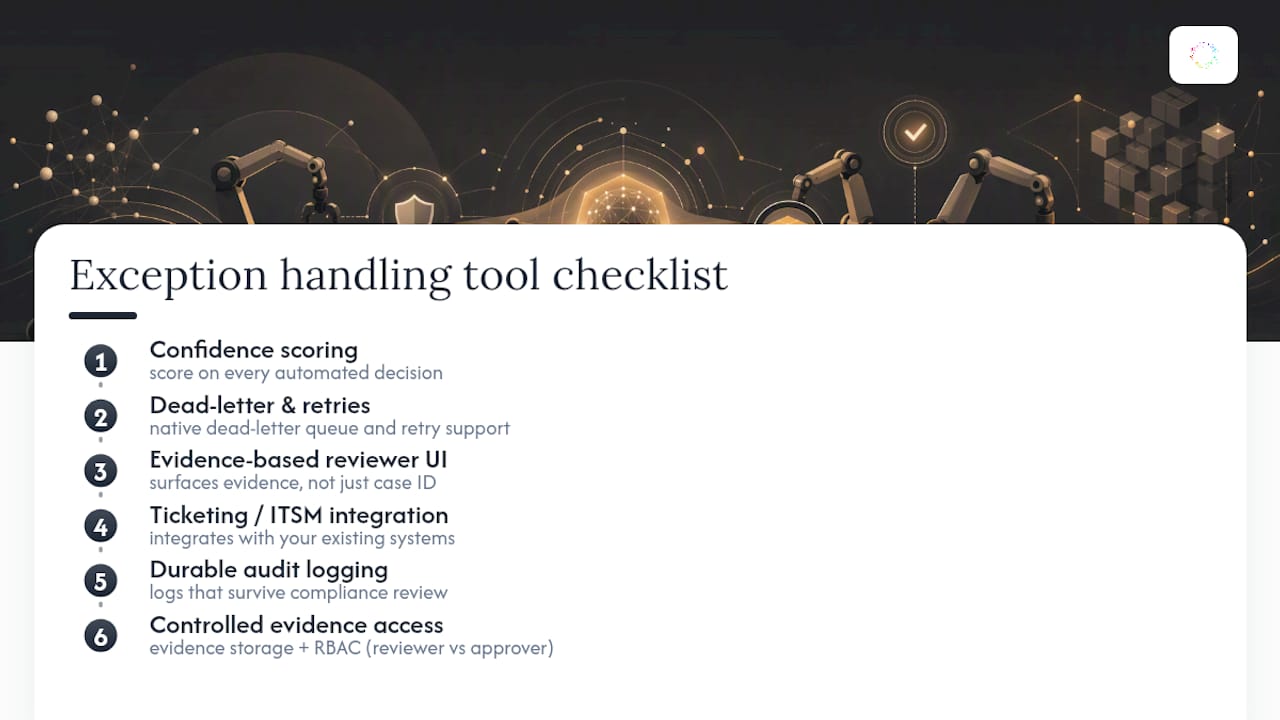
Vendor evaluation gets easier once you have a specific checklist instead of a features list. Look for confidence scoring on every automated decision, native dead-letter queue and retry support, a reviewer interface that surfaces evidence instead of just a case number, integration with your existing ticketing or ITSM system, and audit logging that survives a compliance review. On the data side, ask how exception evidence is stored, who can access it, and whether role-based access controls separate reviewers from approvers.
Distinguish tools that reveal workflow activity from tools that route and resolve exceptions. A platform may support one without the other. Ask vendors to demonstrate the specific retry, queue, integration, and review controls your runbook requires.
Rolling Out Exception Handling Without Losing the Room
Most exception handling programs don’t fail on design. They fail on rollout speed and alert fatigue. Teams wire up notifications for every exception type on day one, reviewers get flooded, and within two weeks half the alerts get muted. Start with alerts on only the highest-impact exception types, and expand slowly as the team proves it can keep up. The single habit that separates programs that stick from ones that quietly die: every exception type has one named human accountable for it, publicly, not a shared queue everyone assumes someone else is watching.
— Katie
Use Orchard to Investigate Repeated Work and Bottlenecks
Orchard helps teams understand employee activity, software usage, workload patterns, and workflow bottlenecks. Isaac can help investigate business questions using available activity and evidence, while Studio provides custom dashboards and views. These findings can guide discussions with the people who own the workflow.

Validate exception categories and ownership with your process team, and confirm any required queue, retry, or routing functionality separately. Review Orchard's Trust page and request a briefing to discuss what evidence is available for your workflow and how to scope an evaluation.
Sources
The ROI research supports the value claim. The five-stage model and ownership guidance shape the runbook. Exception design principles inform the tooling checklist, and routing practices inform escalation guidance. For broader implementation patterns, Forefront Industries’ automation guidance and Koritsu’s cloud governance practices offer additional context.