
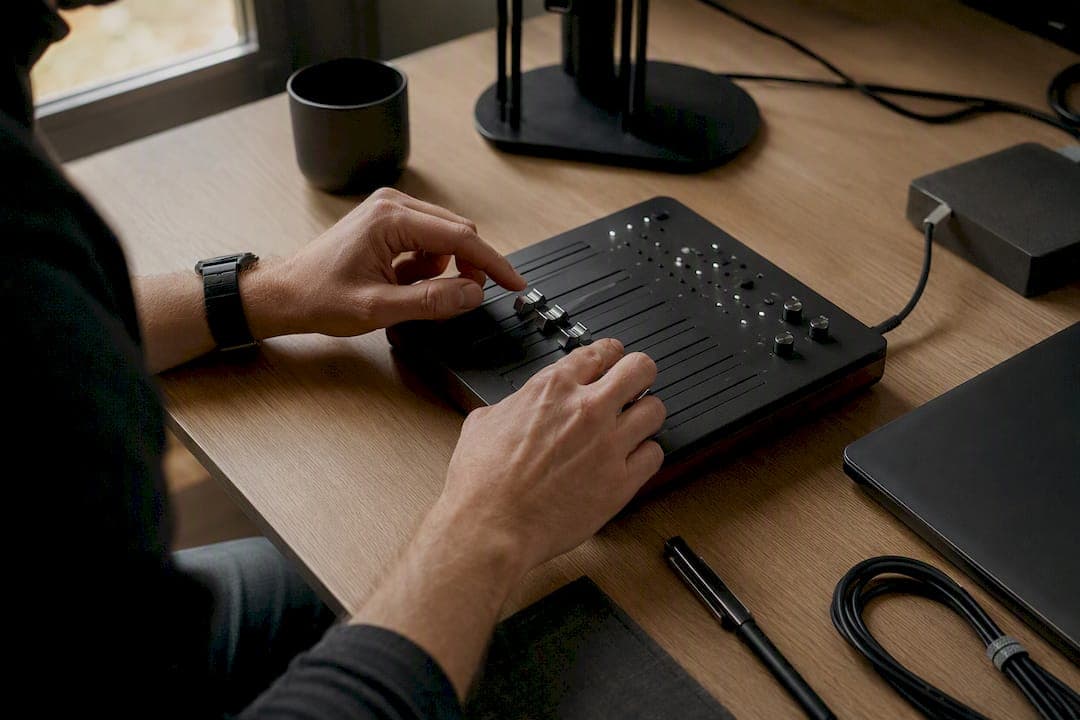
Human-in-the-loop automation places human review at defined decision points, such as before changing a customer record, deleting information, or sending an external report. This article focuses on operational workflow oversight rather than training-data labeling. Document who reviews each action, what evidence they see, and how approvals or rejections are recorded.
The immediate recommendation for buyers: place checkpoints only where actions are irreversible, high-risk, or low-confidence. Everything else should run without interruption.
Two outcomes matter most when you evaluate this:
-
An audit trail that documents every decision, override, and timestamp for compliance review
-
Measurable hours saved, tracked against exception rates, so you know the automation is actually paying for itself
Key Takeaways
Human-in-the-loop automation needs risk-based checkpoints, clear ownership, review context, and records sufficient to explain what happened.
| Point | Details |
|---|---|
| Definition scope | HITL here means human checkpoints in desktop workflows, not ML data labeling. |
| Checkpoint placement | Route only irreversible, high-risk, or low-confidence actions to a human reviewer. |
| Architecture choice | Favor an on-machine agent with UIA-first interaction and vision fallback for legacy apps. |
| Measurement | Track intervention rate, override rate, and hours recovered to prove ROI. |
| Orchard’s role | Orchard builds editable Playbooks from recorded work and logs decisions for audit purposes. |
Table of Contents
-
How do you build HITL into a Windows desktop automation stack?
-
Why procurement teams should stop treating HITL as an afterthought
What human in the loop actually means for desktop workflows
Scoped to Windows desktop automation, human in the loop is a governance layer, not a labeling exercise. You’re not training a model with human corrections. You’re deciding, deliberately, which steps in an automated process still require a person’s judgment before the workflow proceeds. That distinction matters because a lot of vendor material blurs the two, and procurement teams end up evaluating the wrong capability.
Three roles make this work in practice:
-
The owner who decides where checkpoints belong and approves workflow changes
-
The reviewer who actually approves or rejects flagged actions day to day
-
The operator who runs the underlying process and flags exceptions the automation doesn’t catch
Build workflow documentation from representative work, process-owner input, and known exceptions. Orchard’s activity insights can help investigate repeated work and handoffs within the available scope, but confirm the decision rules and risks with the people responsible before automating.
Pro Tip: Review workflow documentation on a schedule appropriate to its risk and rate of change, and after material process updates.
Where should you put human checkpoints?
Not every step needs a person watching it. The decision comes down to five criteria: is the action irreversible, is it high risk, does the automation have low confidence in its output, is it customer-facing, and does it write or delete data? If a step hits two or more of those, it gets a checkpoint. If it hits none, let it run.
Concrete examples from real desktop workflows:
-
Publishing a financial report before a human confirms the numbers reconcile
-
Processing a customer refund above a certain dollar threshold
-
Modifying a client record that feeds into billing or contracts
-
Permanently deleting files or archiving records with no backup path
Route work according to risk, policy, and the consequences of error, as well as model confidence. Even a high-confidence action may require human approval when its impact is significant. Give reviewers enough context to approve, reject, or escalate, and define what happens if no one responds.
Over-checkpointing kills adoption faster than almost anything else. It’s just adding a second person to a workflow that used to have one.

How do you build HITL into a Windows desktop automation stack?
The architecture decision that matters most upfront: does the platform run as an on-machine agent, or does it depend on a remote connection that breaks every time a session times out? On-machine agents handle desktop reliability and session state far better, particularly in environments with VPNs, Citrix, or locked-down IT policies where a cloud-only tool simply can’t see what’s happening on screen.
Interaction layer is the next decision. The stronger pattern is UIA-first with a computer-vision fallback:
-
Use accessibility APIs (UIA) wherever the application exposes them, since they read the actual control structure instead of guessing from pixels
-
Fall back to computer-vision recognition for legacy applications or Citrix-hosted apps that don’t expose accessibility data
-
Log which method handled each step, so troubleshooting doesn’t start from zero
That hybrid approach exists because UIA is dramatically faster and more reliable than vision-only automation when the application supports it, and vision fills the gap where it doesn’t.
Control patterns are what actually make human checkpoints functional instead of annoying:
-
Wait/approval nodes that pause the workflow at the defined checkpoint and nowhere else
-
Notification channels that reach reviewers where they already work, Teams, Slack, or email, rather than a separate dashboard they have to remember to check
-
Timeouts with a defined escalation path, so an unanswered request doesn’t stall the entire process for hours
-
Binary decisions (approve or reject) instead of open-ended review
For auditability, capture screenshots at the decision point, full execution logs, and decision metadata including who approved what and when. Without that, your audit trail is a claim, not a record.
How do you measure whether HITL is working?
Track intervention rate, override rate, and review time to assess whether checkpoints are working. Measure manual effort before and after the change, including review and rework. Express time multiplied by a labor rate as estimated capacity value; claim cost savings only when reduced spending is independently verified.
| Metric | What it tells you |
|---|---|
| Intervention rate | Percentage of workflow runs that triggered a human checkpoint |
| Override rate | How often a reviewer rejected or changed the automated suggestion |
| Mean time to review | Average delay between a flagged action and human resolution |
| Hours recovered | Manual work eliminated, tracked against baseline before automation |
| Cost saved | Dollar value of hours recovered minus platform and review overhead |
For every reviewed decision, log the reason given, the timestamp, the reviewer’s identity, and before/after evidence of what changed. That record is what supports compliance auditing later, when someone asks why a specific transaction went through the way it did.
Feed intervention data back into workflow review. Repeated exceptions can signal unclear rules, changing inputs, or missing context; investigate the cause before changing or removing a checkpoint.
What mistakes do most teams make with HITL?
The most common failure is over-checkpointing: flagging so many actions for review that the “automation” becomes a slower version of the manual process it replaced. Close behind that is missing ownership, where nobody’s name is actually attached to a checkpoint, so exceptions sit unresolved for days.
Other recurring problems:
-
Workflow documentation that no longer matches the underlying process
-
Notifications that ask for a decision without giving the reviewer enough context to make one quickly
-
No escalation path, so a single unavailable reviewer stalls the entire workflow
-
Approval requests that aren’t binary, forcing reviewers to write explanations instead of clicking a button
Pro Tip: Record the actual work before you map anything. Teams that design checkpoints from a whiteboard session, instead of from what the software observes people actually doing, miss the exceptions that matter most.
Before choosing a platform, verify how it captures relevant events, records human decisions, manages access, and supports updates to workflows. Request evidence for the controls your use case needs.
Why procurement teams should stop treating HITL as an afterthought
Most vendors pitch human in the loop as a safety feature bolted onto an otherwise fully automated pitch. That framing gets it backwards. The checkpoint placement decision is the product decision. Get it wrong and you either introduce risk you can’t see coming or you build a reviewer bottleneck that erases the time savings you bought the software to capture.
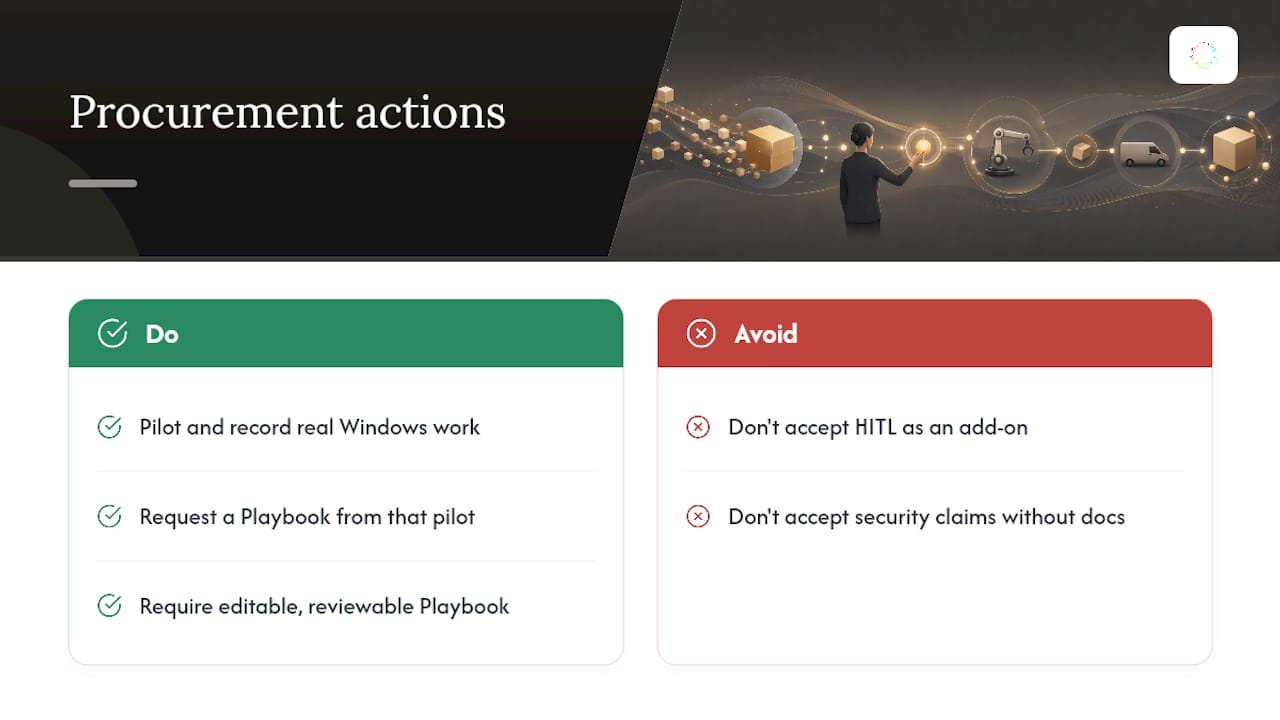
Understanding how work happens can improve checkpoint design. Orchard helps investigate employee activity, repeated work, and slow handoffs using the available evidence. Use those findings with process-owner input to decide where review is needed and what the reviewer must see.
For procurement, request a demonstration of your own approval scenario and verify the relevant audit, access, and data-handling controls before rollout.
— Katie
Discuss Human Review Requirements With Orchard
Orchard can help teams investigate repeated work and workflow bottlenecks before choosing what to automate. Use the findings to identify candidate checkpoints, then validate them against actual exceptions, business rules, and consequences of error.
Your organization controls the scope of Orchard’s monitoring and which supported workflows run, including where review is required. During evaluation, confirm the exact approval, override, retention, and audit-record capabilities needed for your process; do not assume every event is recorded.
Request an Orchard briefing with one representative workflow, its risks, and the evidence reviewers need. Agree on evaluation scope and verify the controls before expanding use.