

Back-office automation uses software to handle repetitive administrative work in finance, HR, procurement, and IT. The appropriate approach may involve workflow rules, APIs, RPA, or document processing, depending on the task. Start by assessing one high-volume, rules-based process and its exceptions before deciding what to automate.
Key Takeaways
Back-office automation succeeds when it starts with one high-volume, rules-based process, measures results against a real baseline, and expands only after the pilot proves its ROI.
| Point | Details |
|---|---|
| Start narrow | Pick one high-volume, rules-heavy process like invoice coding before attempting broader automation. |
| Measure before you build | Track baseline cycle time, error rate, and cost per transaction so ROI has a comparison point. |
| Plan for exceptions | Route ambiguous decisions to a human reviewer instead of forcing automation to guess. |
| Keep logs auditable | Role-based access and execution logs protect against compliance gaps later. |
| Consider a learning-based platform | Orchard helps investigate activity and repeated work; completed customer-enabled automation runs can be reviewed with estimated time and labor value. |
Table of Contents
What Counts as Back-Office Automation
Back-office automation is technology that runs the administrative work customers never see: finance, HR, procurement, and IT workflows that keep a company running. It’s distinct from front-office automation, like chatbots or customer portals, because the “user” here is usually an internal team, not a customer. Low-code platforms and intelligent automation now let non-developers build these workflows without a six-month IT project.
The processes that typically fall inside scope:
-
Finance: accounts payable, accounts receivable, payroll processing
-
HR: employee onboarding, benefits enrollment, offboarding
-
Procurement: purchase order matching, vendor onboarding
-
IT operations: access provisioning, ticket routing
-
Document processing: contract intake, form extraction, data entry
A simple example: an invoice arrives by email, a person used to open it, key the numbers into an ERP system, and route it for approval. Automated, the system reads the PDF, matches it against a purchase order, and only pings a human when something doesn’t match.
Which Back-Office Processes to Automate First
Start where the volume is high, the rules are clear, and the payoff is easy to measure. Here’s a practical order of operations:
-
Invoice processing. High transaction count, clear approval rules. Track error rate and cost per invoice processed.
-
Vendor onboarding. Repetitive document collection and verification. Track cycle time from application to approved status.
-
Payroll tasks. Time entry, overtime calculation, deduction updates. Track processing hours and correction rate.
-
Expense processing. Receipt capture and policy checks. Track reimbursement turnaround time.
-
Employee onboarding. Account creation, equipment requests, paperwork routing. Track time to full productivity.
-
Purchase order reconciliation. Matching receipts to orders and invoices. Track match rate and exceptions flagged.
Assign a business process owner and involve IT, finance, HR, or procurement according to the systems and responsibilities involved. Estimate effort from your own baseline rather than assuming a minimum number of hours recovered per person. Start with a scope whose access, integrations, and exceptions you can evaluate clearly.
How Back-Office Automation Actually Works
Every automated back-office process follows roughly the same shape: a trigger starts the work (a new email, a form submission, a scheduled time), an orchestrator decides what happens next, bots or APIs execute the steps, and a monitoring layer logs what happened for review.
The components worth understanding before you buy anything:
-
Document capture/OCR — reads unstructured inputs like PDFs and scanned forms
-
Process mining — observes how work actually happens today, not how the flowchart says it should
-
Low-code workflow designer — lets a business user, not just a developer, build and edit the automation
-
Bot runtime — the engine that executes the steps, whether on desktop or cloud
-
Observability and monitoring — dashboards and logs showing what ran, what failed, and why
-
Security controls — access permissions, audit trails, data handling rules
Vendor roundups often point to meeting schedulers, expense automation, and workflow analytics tools as quick, low-risk wins because they don’t require touching core financial systems right away.
Pro Tip: Scope your first automation to deterministic steps only. If a step requires judgment calls that even two experienced employees would answer differently, route it to a human instead of trying to teach a bot to guess.
What ROI Actually Looks Like
Measure time, quality, cycle time, and operating costs against a baseline. A capacity-value estimate can use (estimated hours released per month × fully loaded hourly cost) − monthly automation costs. Include review and maintenance effort and allocated implementation costs. This estimates net capacity value, not necessarily cash savings; verify actual changes in spending separately.
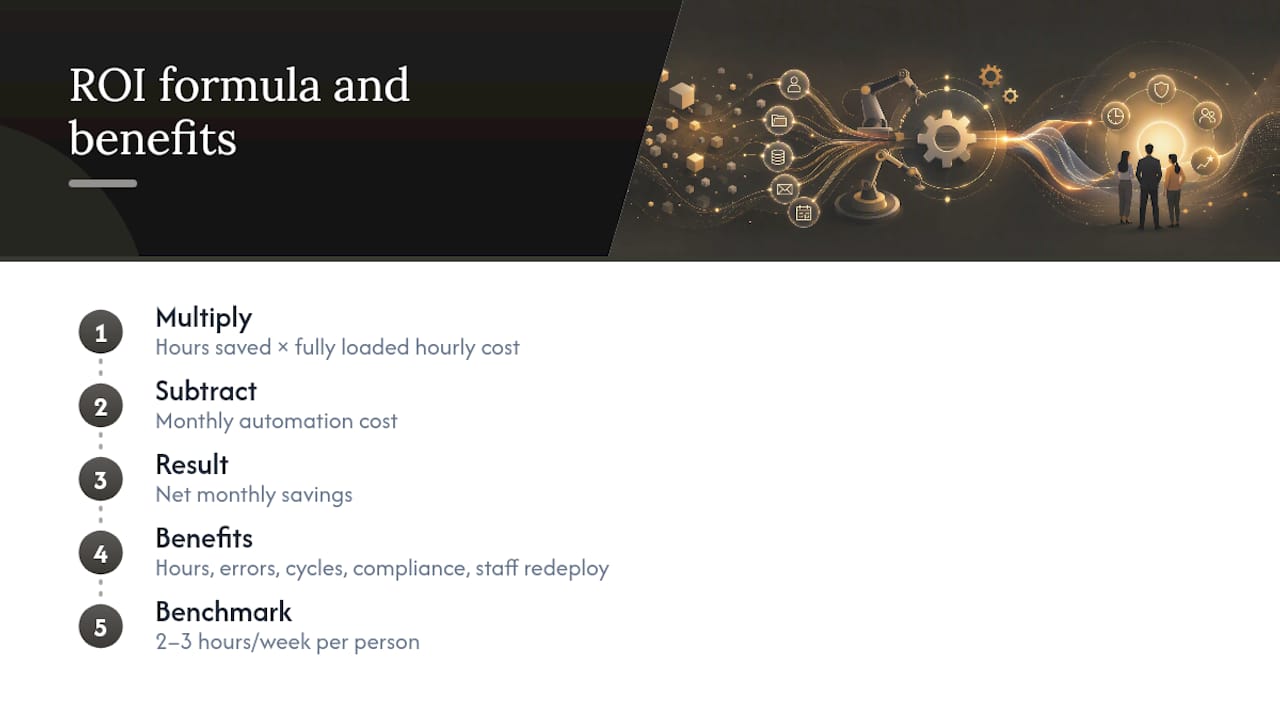
For an AP team, build an illustrative calculation from monthly volume, baseline handling time, remaining review effort, and the full cost of implementation and operation. Any sample values in this article illustrate assumptions rather than customer results or a promised return.
Use your own task measurements for the estimate, then compare them with representative pilot results. Results from unrelated administrative tools are not a reliable floor for the benefit of your process.
Risks That Sink Automation Projects
Most failures trace back to a handful of predictable problems, and each one has a fix that cost far less than starting over.
-
Change management gets skipped. Fix it with early stakeholder involvement and a named process owner, not an all-staff email.
-
Data security gets treated as an afterthought. Fix it with role-based access and audit logs built in from day one.
-
Integration debt piles up. Fix it by phasing connections one system at a time instead of wiring everything simultaneously.
-
Exception handling gets ignored. Fix it by routing anything unusual to a human reviewer, not by forcing the bot to guess.
-
Scope creeps past what was approved. Fix it with a written SLA defining exactly what the pilot covers.
Keep an audit trail of every automated action. Regulators and internal compliance teams both want to see who approved what and when, and a system without logging can’t answer that question.
A Practical Roadmap From Pilot to Scale
Automation projects that succeed follow a sequence, not a leap. Here’s the order that tends to work:
-
Discover. Observe or mine the actual process for two to four weeks before touching any tooling.
-
Prioritize. Rank candidates by volume, rule clarity, and integration simplicity.
-
Design the pilot. Define the trigger, the steps, and the exact exception paths.
-
Build and test. Run it in parallel with the manual process for at least one full cycle.
-
Measure outcomes. Compare cycle time, error rate, and cost per transaction against the baseline.
-
Iterate and scale. Expand to adjacent processes once the pilot hits its targets.
A Salesforce Admins practitioner guide makes a similar point: picking one well-defined process like invoice auditing produces a faster, cleaner proof of value than trying to automate an entire department at once.
On ownership, a center of excellence works well when several teams need the same governance standards; a federated model, where each department runs its own automations under shared rules, works better when processes vary widely. Either way, someone needs to own the playbook library and the monitoring dashboard long after the pilot ends.

Why a Workflow-Learning Platform Changes the Pilot Math
Understanding the current process is part of a useful pilot. Orchard's activity and workforce analytics can help teams investigate software usage, workload patterns, and repeated work within the available scope; process owners still need to validate steps and exceptions.
That approach maps directly onto what pilots need:
-
Investigate available activity alongside process documentation and staff input
-
Examine repeated work and potential bottlenecks before deciding which task warrants automation
-
Use Isaac for evidence-based questions and Studio for custom dashboards and views
-
For customer-enabled automations, review completed runs and estimated time and labor value
Estimated time and labor value can inform the business case but do not prove reduced spending. Review Orchard's published security and data-handling information and confirm the controls required for your proposed scope, including access and any audit requirements.
The Part Most Automation Advice Gets Wrong
Most guides tell managers to “map every process” before automating anything. That advice sounds responsible, and it kills more projects than it saves. Mapping a process assumes you already know how work actually happens, and in most back offices, the documented process and the real one diverge the moment someone hits an exception.
The bigger mistake is trying to automate judgment instead of steps. A rules-based task like matching a purchase order has a right answer. A task like “decide whether this vendor discrepancy needs escalation” often doesn’t, and forcing a bot to handle it just relocates the errors instead of removing them.
What actually works is smaller and less glamorous than the pitch decks suggest: pick one process, watch how people really do it, automate the deterministic parts, and let humans keep the judgment calls. That’s a slower start than “automate everything,” but it’s the version that survives contact with a messy invoice or an unusual vendor contract.
Get Started With Entertheorchard
Orchard helps teams examine employee activity, software usage, and workload patterns that may inform a back-office improvement project. Use the available evidence alongside the process owner's account of ordinary work and exceptions.

For a first evaluation, choose a defined task, document the baseline, and agree on what evidence would support a change. Request an Orchard briefing to discuss your scope and supported capabilities. Treat estimated time and labor value as inputs to the business case, with actual spending and quality outcomes verified separately.
Frequently Asked Questions
What does it mean to automate back office work? It means using software, rather than manual data entry, to handle administrative tasks in finance, HR, procurement, and IT, from invoice matching to employee onboarding.
What is the best back office automation software for a first pilot?
Choose based on the task, supported systems, access requirements, exception handling, and the team's ability to maintain the result. Orchard's activity analysis can help inform the investigation; confirm implementation capabilities against your requirements before selecting a tool.
How long does back-office automation implementation take?
Timing depends on scope, system access, integration work, exception handling, security review, and how frequently the task occurs. Set the schedule after scoping the pilot; a sample ROI calculation cannot establish a delivery date.
What back-office tasks should not be automated first? Avoid automating decisions that require judgment, like escalation calls on unusual vendor disputes. Start with deterministic, rules-based steps instead.
How do you measure success in a back-office automation project? Track cycle time, error rate, and cost per transaction against a documented baseline, then compare those figures after the pilot runs for at least one full cycle.
Sources
-
AI for Administrative Tasks: Best Tools and Real Use Cases | Lindy
-
5 AI tools to supercharge your back-office productivity today